Desktop Robot
Description Runs Scenarios directly on your local machine.
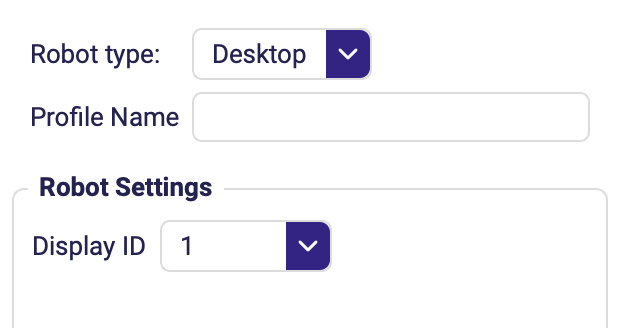
Settings
| Field | Description |
|---|---|
| Robot type | Set to Desktop. |
| Profile Name | Name under which this configuration is saved for reuse. |
| Display ID | Which monitor the robot works on, picked from a dropdown of the monitors it detects. Defaults to 1. |
warning
- Requires two monitors — one for the Editor and one for the robot live view. With a single monitor the live view shows the Editor showing the live view, in an infinite loop.
- The robot takes control of your mouse and keyboard: it moves the cursor and types, so you cannot work on the machine while a scenario is running.
tip
For unattended production runs, prefer the RDP Robot — it works in its own session, so the machine stays usable.