Notification Actions
The Notification group builds a human-readable summary of what a run did, and delivers it by e-mail, Slack or Teams.
This group replaces the notifier half of the old Message Actions page. The e-mail actions moved to their own Email group, and the notifier no longer needs an e-mail client action — reports are rendered by the Aiviro Cloud.
The reporting pattern
- Throughout the scenario, call Add Message whenever something noteworthy happens.
- At the end, call Send As Email once to deliver the collected messages as a formatted report.
Messages accumulate in the Notifications panel, so you can see the report taking shape while you develop.
Add Message
Adds one entry to the notification queue.
/img/editor/actions/notification/notifier_add.pngCapture: the Add Message form with Title and Section Title visible, plus the Notifications panel with several messages of different types. Why it must be retaken: Section ID was removed and Title and Section Title are new.
| Parameter | Description |
|---|---|
| Message | Text to record. Accepts variables. |
| Type | Severity, which sets the colour in the report: INACTIVE (grey), SUCCESS (green), INFO (blue, default), WARNING (yellow), ERROR (red). |
| Title | Optional heading for this single message. Respects the VAR toggle — see below. |
| Section Title | The section of the report the message lands in. Messages with the same Section Title are grouped together under that heading; left empty, the message goes to the top-level block. Accepts variables. Optional. |
Section Title turns a flat list into a structured report. In a loop over invoices, use a variable holding the invoice number as the Section Title — every message about that invoice then appears together under its own heading.
Section ID is gone; Section Title alone decides which section a message belongs to. Existing scenarios are converted automatically when opened: a message that had only a Section ID gets it as its Section Title, so your reports keep their structure.
The VAR toggle
Title follows the same rule as every other field:
| VAR | Meaning |
|---|---|
| off | The literal words you typed. Report means the word "Report". |
| on | A variable name or an expression. Report means the variable called Report. |
Up to 0.23.x Title ignored the toggle and always guessed a variable, so a plain title
like Report broke the Export as Python output — it either crashed or silently picked up
an unrelated variable. Fixed in 0.24.0.
Text that the AI writes for Message or Title — with Add with AI… or Edit selection with AI… — stores a variable as a real reference, so "Processed $count invoices" is substituted at run time rather than sent literally. Up to 0.24.0 it was stored as plain text and never resolved.
If the AI produces an expression that cannot be evaluated, a warning appears right after Apply, naming the field to fix by hand.
Message text is HTML-escaped when the report is rendered, so raw HTML pasted into Message now appears literally instead of being interpreted. Use Send as HTML on Send Email when you want real HTML.
Send As Email
Renders the collected messages into a report and sends it.
/img/editor/actions/notification/notifier_send.pngCapture: two images — the Send As Email form with the Delivery selector showing both choices, and an example of the rendered report as it arrives in a mailbox. Why it must be retaken: the action no longer takes an e-mail client variable; Delivery and Language are new.
| Parameter | Description |
|---|---|
| Recipients | Addresses separated by semicolons, e.g. a@example.com; b@example.com. Accepts variables. |
| Report Subject | Subject line. Default Aiviro Editor Report. |
| Language | Language the report is rendered in: cs, en, de or sk. Default cs. The report is always rendered by the Aiviro Cloud in this language, whichever delivery method you pick. |
| Delivery | Aiviro Cloud (default) also sends the e-mail server-side — nothing to configure. Email Account (SMTP) sends the cloud-rendered report through an Email Account from your Vault, so the mail leaves from your own domain. |
| Save report to logs | Also writes the rendered HTML and plain-text report into the log folder. Default on. Optional. |
Send Slack Message
Posts a message to a Slack channel.
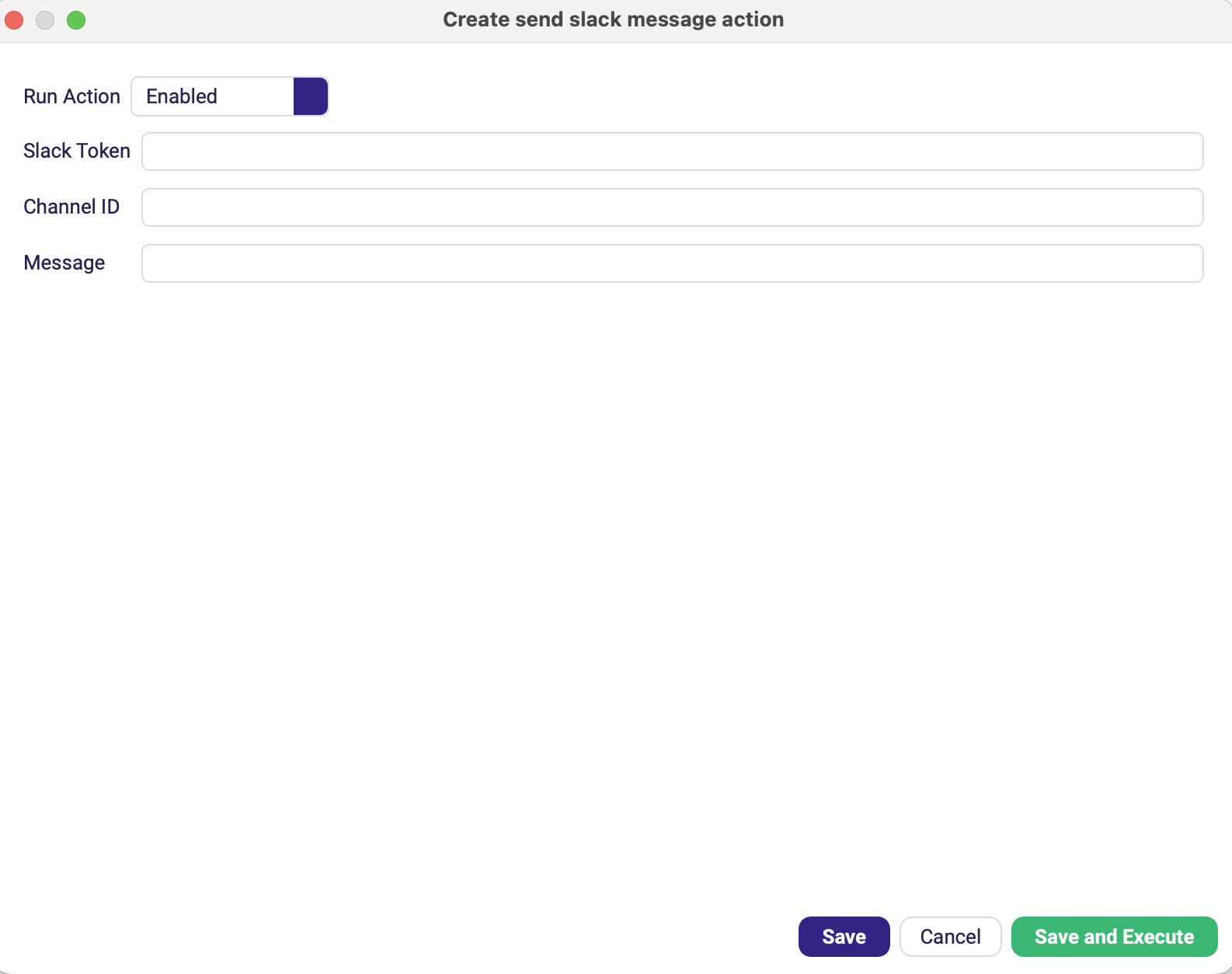
| Parameter | Description |
|---|---|
| Slack Token | Bot or user OAuth token with the chat:write scope. |
| Channel ID | Target channel, e.g. C0123456789. |
| Message | Text to post. |
Send Teams Message
Posts a message to a Microsoft Teams channel through an incoming webhook.
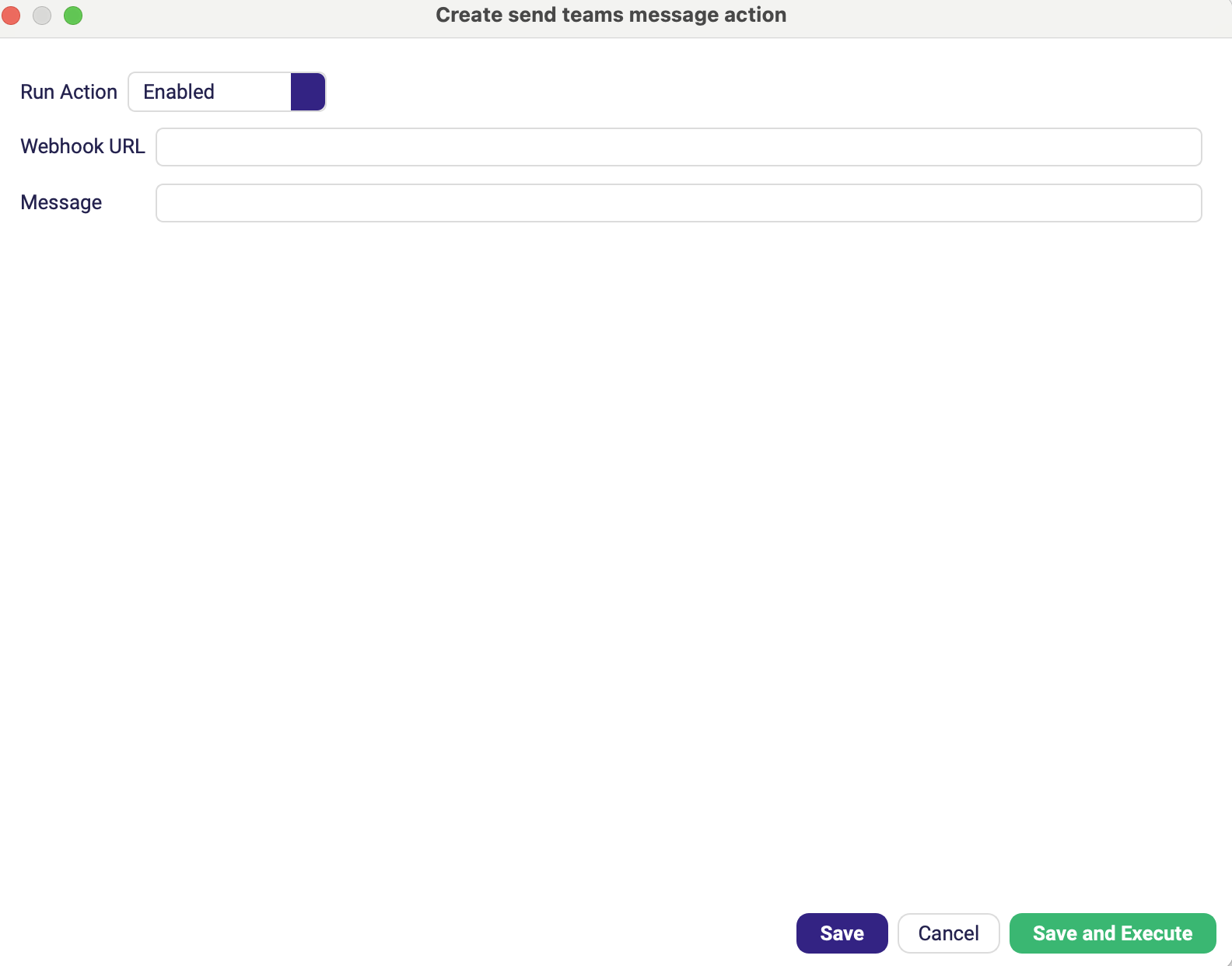
| Parameter | Description |
|---|---|
| Webhook URL | Incoming-webhook URL of the Teams channel. |
| Message | JSON or plain-text content to post. |
The Slack token and the Teams webhook URL are credentials. Store them in the
Vault and reference them as {{SECRET:KEY}} instead of typing them
into the action — a project file with a live token in it should not be committed to Git.